

You are on a roof, or under a sink, or halfway into a crawlspace with both hands full. Your phone buzzes in your pocket. It is a new customer, and they need help with something you do every single day.
You cannot answer, and you already know how this ends. By the time you climb down and call back, they have moved on to the next name on their list.
Here is what stings the most. Most of those customers never leave a voicemail. Industry data shows that 60% of callers who reach a voicemail simply hang up and dial your competitor instead. That is not a customer service problem. That is revenue walking out the door while your hands are busy.
We built AIDA to answer your calls when you cannot. Today she does more. AIDA now handles your text messages too, which means both of your intake lanes, phone and text, are finally covered at the same time. You keep working. She keeps catching leads.
The clock starts the second they hit send
When someone reaches out to a local business, they are not being patient about it. They found you, they found two or three of your competitors, and whoever answers first usually wins. Our own numbers back this up: 78% of customers buy from the first business that responds to their inquiry.
The problem is that “first” is a much higher bar than it sounds. The average business takes roughly 42 hours to respond to a new lead. Not 42 minutes. Nearly two full business days.
That gap is bad news for the industry and good news for you, because beating it does not require you to be perfect. It just requires you to be there, and being there at 8 p.m. on a Saturday is exactly the thing a busy contractor cannot do alone.
Speed does more than help you catch the lead. It changes whether the lead is worth catching at all. Research on response time has found that a lead contacted within five minutes is far more likely to qualify than the same lead contacted half an hour later, because intent is highest in the first moments after someone reaches out, and it cools fast.
To put a finer point on it, one widely cited analysis found that responding within a single minute can lift conversion by as much as 391% compared to waiting. That figure comes from Velocify’s platform data and applies to phone calls, so we treat it as directional rather than a guarantee.
The direction is what counts. Faster is better, every study agrees on that. The businesses that build a system for instant response pull ahead of the ones still promising to “get back to you soon.”
Your customers are texting you. They always were.
Every dollar you spend on marketing produces two kinds of inbound leads. Some people call and some people text. AIDA Voice sealed the first lane shut, so a missed call no longer means a missed customer.
The second lane has been running wide open this whole time. Someone taps the number on your truck and sends a text. Someone messages your Google Business Profile. Someone fills out a form on your site and expects a reply in seconds, not tomorrow.
For a lot of contractors, those texts landed in a phone sitting in a work truck somewhere on a job site. By morning, the lead was cold.
AIDA SMS closes that gap. When a customer texts in, AIDA SMS replies almost immediately, in your voice, and starts working the conversation the same way she works a call. She figures out what they need, gathers the details that matter, and screens out the spam and the solicitors so your phone only lights up for the real ones.
For calls, we recommend AIDA Voice so that every missed call gets picked up. Run them together and you get 100% coverage: AIDA Voice on the calls, AIDA SMS on the texts, no lead left waiting on either side.
What 100% coverage actually looks like on a Tuesday
Picture a normal weeknight. It is 7:42 p.m. You are finishing a job, cleaning up, thinking about dinner. A text comes in: “Hey, my water heater’s leaking, do you guys handle that?”
You do not see it, because you are working. AIDA does. Within seconds she replies, confirms that yes, you handle water heaters, and asks the two or three questions that turn a vague message into a real lead: what is going on, where is the property, how soon do they need someone out. She keeps it friendly, she keeps it moving, and she never once tells the customer you were unavailable.
By the time you are back in the truck, there is a clean summary waiting for you. Not a missed text you have to decode, but a qualified lead with the service, the location, and the timeline already captured.
You call in the morning knowing exactly what the job is, or the customer is already lined up to hear from you. What did you do to make that happen? Nothing. You were working, which is the whole idea.
What this means for the money you are already spending
This is the part that matters most to your bottom line, so we will be direct about it.
AIDA does not generate more leads. She helps you win more of the leads you are already paying for, by making sure not one of them reaches out to silence.
You are already spending on ads, on SEO, on your Local Services, on everything that makes the phone ring and the texts come in. Every one of those dollars is doing its job right up until the moment a lead reaches out and nobody answers. That is where the money leaks.
A business responding to inbound at a 42-hour pace is leaving most of its paid demand on the table, and it is paying full price for the privilege.
Close that gap and the math changes without your budget changing at all. Same ad spend, same marketing, same everything. The only variable that moves is response time, and response time is the one thing that has been quietly costing you deals this whole time.
Setup takes minutes, not a project plan
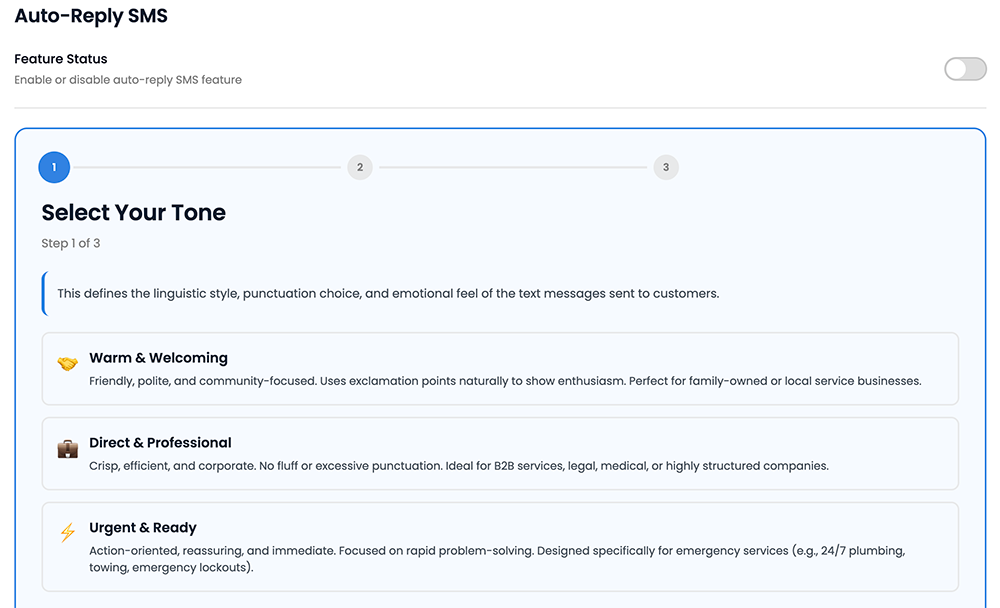
Turning AIDA SMS on is genuinely simple. From your Local Splash Dashboard, Click your initials in the top corner, open AI Settings, and flip on the Auto-Reply SMS feature. From there a short three-step wizard walks you through the only decisions that matter, and every one of them is a tap, not an essay.
We built this so it works for two very different kinds of business owners, and both are fully supported.
If you would rather never think about it again
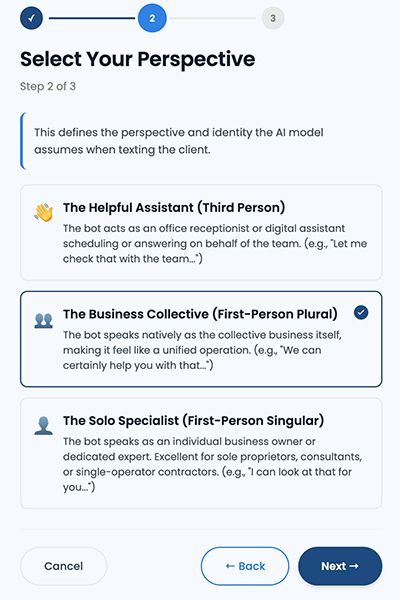
The three-step setup is all you need. You choose a tone, whether that is Warm & Welcoming for a family-owned shop, Direct & Professional for a crisp corporate feel, or Urgent & Ready for emergency trades like 24/7 plumbing or towing.
You choose a perspective, which sets whether AIDA texts as “we” on behalf of the business, as a solo owner-operator, or as a front-desk assistant. Then you choose her primary goal, meaning how she wraps up a conversation. Three taps and she is live.
We handle the rest off the profile and service information already on your account, the same locked knowledge base that keeps AIDA Voice from guessing. If the answer is not in your data, she does not invent one. She offers a callback instead.
If you want to control every word
Open up the settings and the whole thing is yours to shape. The custom prompt field gives you up to 8,000 characters to spell out exactly how AIDA should talk, what she should offer, what she should never say, and how she should handle the questions you get asked all day.
You can set the response delay, which defaults to 10 seconds and keeps her reply well inside that early window where intent is highest. You can build an exclusion list of numbers that should never get an auto-reply. And you can decide how often she pings you: every message, or only when a conversation needs you to step in.
This is worth underlining, because it is not a fork in the road. Start hands-off today, get comfortable, and open up the prompt next month when you want to fine-tune a few things. Nothing to rebuild, nothing to migrate. The controls are there when you want them and out of your way when you do not.
She is an intern, not a replacement
We hear this question a lot, so let us answer it plainly. AIDA is not here to replace you or your crew. She is here to handle the robot work, the repetitive intake and the endless “do you service my area” texts, so the people on your team can spend their time on the work that actually closes deals.
#AIDA #LocalSplash
Think of her as a sharp new intern who never sleeps and never takes a Saturday off. She qualifies the lead, gathers the details, and routes it where it needs to go. What she does over text depends on the goal you picked in setup: she can push a hot lead to call your tracking number and book live, capture the details and hand you a warm thread to step into, or answer the basic informational questions and quietly filter out the tire-kickers before they reach you.
One honest note so there are no surprises. Like AIDA Voice today, she is a digital secretary, not a closer. She will not autonomously finalize a booking or transfer a live conversation into your hands mid-thread. She tees up the lead. You bring it home.
Getting started
AIDA SMS is rolling out now, and getting set up takes about as long as reading this paragraph.
If you are already running AIDA Voice on your calls, adding text coverage is the natural next step, and it means both of your intake lanes are finally working for you at the same time. If you are new to AIDA, this is a simple way to see what full lead coverage feels like. Reach out to your Local Splash team and we will get you live.
You can run AIDA SMS on its own, alongside AIDA Voice, or lead with whichever fits how your customers reach out. Both features do require active Call Tracking on your account, since that is what routes your leads to the right place.
Stop paying to make the phone ring and then missing the call. Let AIDA answer, on every channel, while you do what you actually do best.
AIDA SMS Frequently Asked Questions
Will AIDA sound like a robot to my customers?
No. You choose her tone during setup, from warm and community-focused to crisp and professional, and she texts in natural language rather than canned keyword replies. Most customers experience it as a fast, helpful response, which is exactly what they were hoping for when they reached out.
What if she does not know the answer to something?
She will not make one up. AIDA works from a hand-approved knowledge base built on your own business and service information. When a question falls outside what she knows, she is built to say so and offer a callback rather than guess, which protects your reputation and keeps the customer’s trust.
Do I have to write the prompt myself?
Not at all. The three-step setup of tone, perspective, and goal is all you need to go live, and we configure the rest for you. The custom prompt field is there if you want deeper control, but it is completely optional. Hands-on and hands-off owners are both supported, and you can switch between them anytime.
Can I stop her from texting certain numbers?
Yes. The exclusion list lets you enter any numbers that should never receive an auto-reply, so your regulars, your vendors, or your own team never get an automated response by mistake.
Does this replace AIDA voice?
No, it works alongside it. AIDA Voice covers your calls and SMS AIDA covers your texts, so both of your customer intake lanes are handled at once. Together they give you the full lead coverage that is hard to pull off when you are out in the field all day.
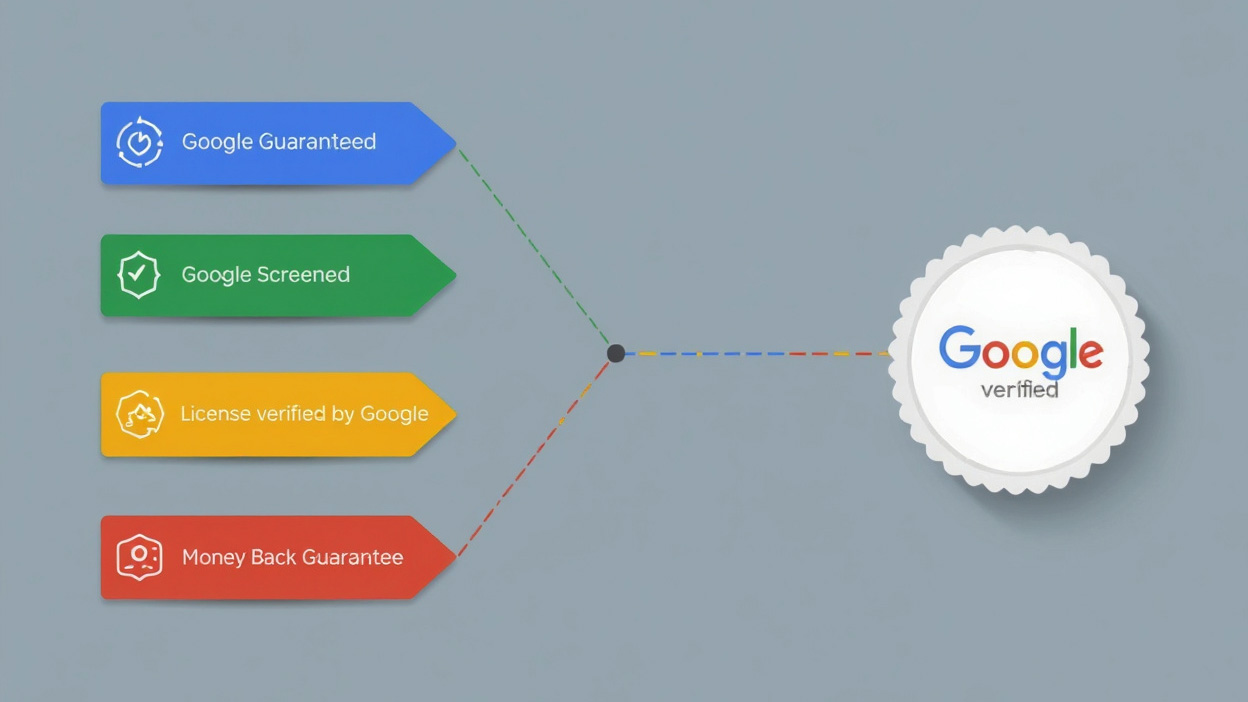
 For some business owners, the loss of the money-back guarantee might feel like an impact rather than a benefit. But remember, most customers never filed claims. What mattered most was the credibility the badge provided.