

Ever since Google made the transition from Google Places to Google+ Local it’s been hard to determine whether a business page has been claimed and verified. Local Splash’s tech team looked into this and discovered how to tell if a page has been claimed and verified.
It doesn’t matter whether a business has been claimed of verified, it always contains the “Is This Your Business?” section with the “Manage this page” button:
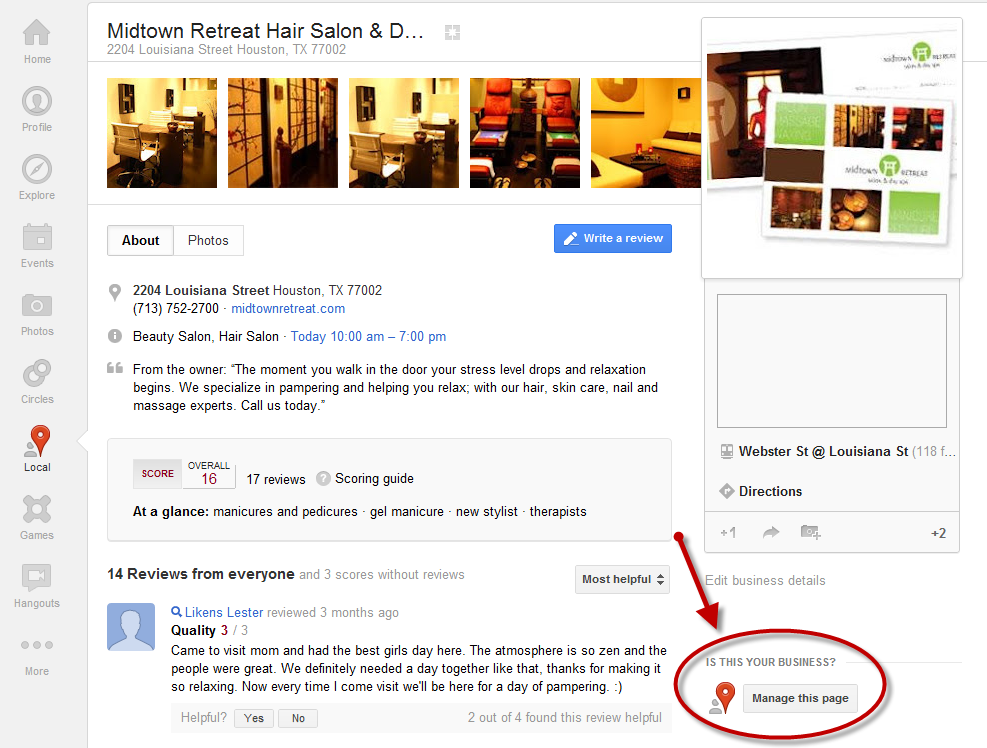
The way to tell whether the page has been claimed and verified is to click on the “Manage this page” button. The page you see after that determines whether the page is claimed and verified.
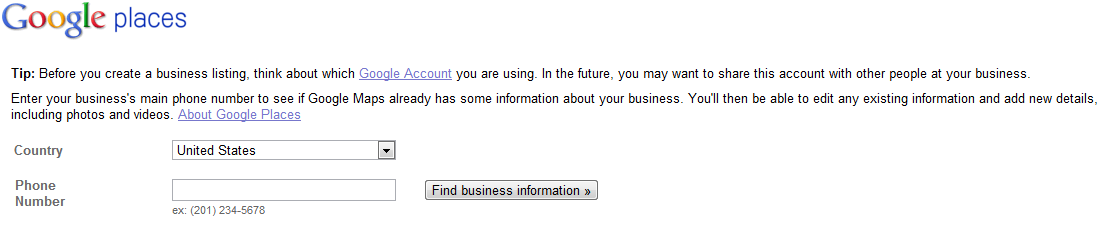
If the page is claimed and verified, clicking “Manage this page” will take you to the Phone Lookup page:
If the page has not been claimed and verified, after clicking the “Manage this page” button you’ll arrive at the Place Page Claim page.
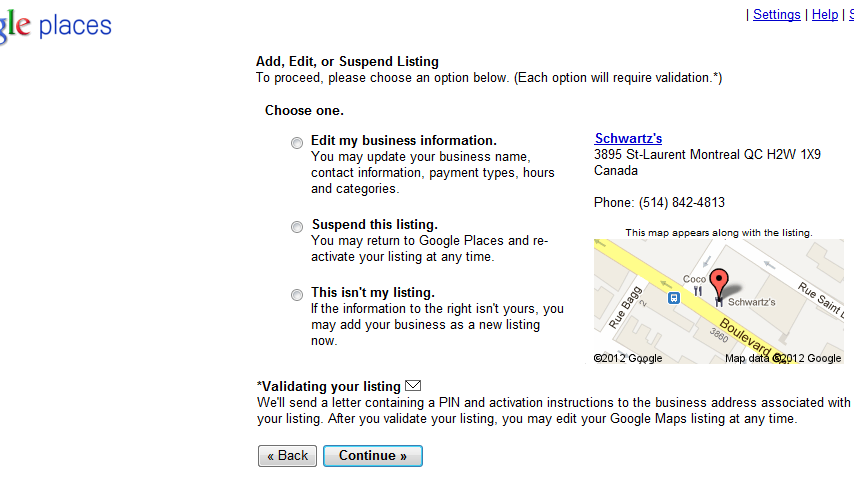
Exception to this rule: The above is true as long as the Google account you are signed into has not claimed any prior Google+ Local pages. If you have previously claimed (claimed, not verified) any pages, then clicking the “Manage this page” button will take you to your Google Places dashboard.
 Local search matters. According to Google, 97% of consumers search for local businesses online. A study by comScore stated that 61% of searchers consider local search results to be more relevant and 58% think they’re more trustworthy.
  Google recently updated its search algorithm to take into consideration the number of valid copyright removal notices it receives for any given site. Websites with high numbers of removal notices may appear lower in Google results, according to a post by Amit Singhal, Google’s Vice President of Engineering, in